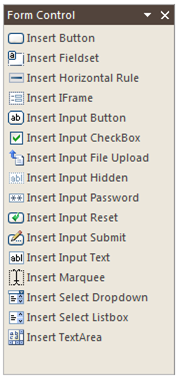
In Form Control pane, user can insert various form controls supported by WebTextEditor. To open Form Control pane, user can click on Form Control command in main toolbar or choose Form Control from Task Pane menu.
Various form controls that can be added to WebTextEditor are: Button, Fieldset, Horizontal Rule, IFrame, Input Button, Input Checkbox, Input File Upload, Input Hidden, Input Password, Input Reset, Input Submit, Input Text, Marquee, Select Dropdown, Select List box, and Text area.